onlinecmr.hu

CMR consignment notes, filled in online

No more handwriting CMRs. Fill in boxes 1–24 in your browser and get a print-ready PDF in all four copies. Every note you issue gets the next number in sequence, and the register that many companies still keep in a separate spreadsheet is kept for you.

What it looks like in use

The screenshots show the Hungarian interface; the app itself is also available in English. All the data in them is made up: the company names, addresses and number plates are fictitious, and none of it comes from a real shipment.
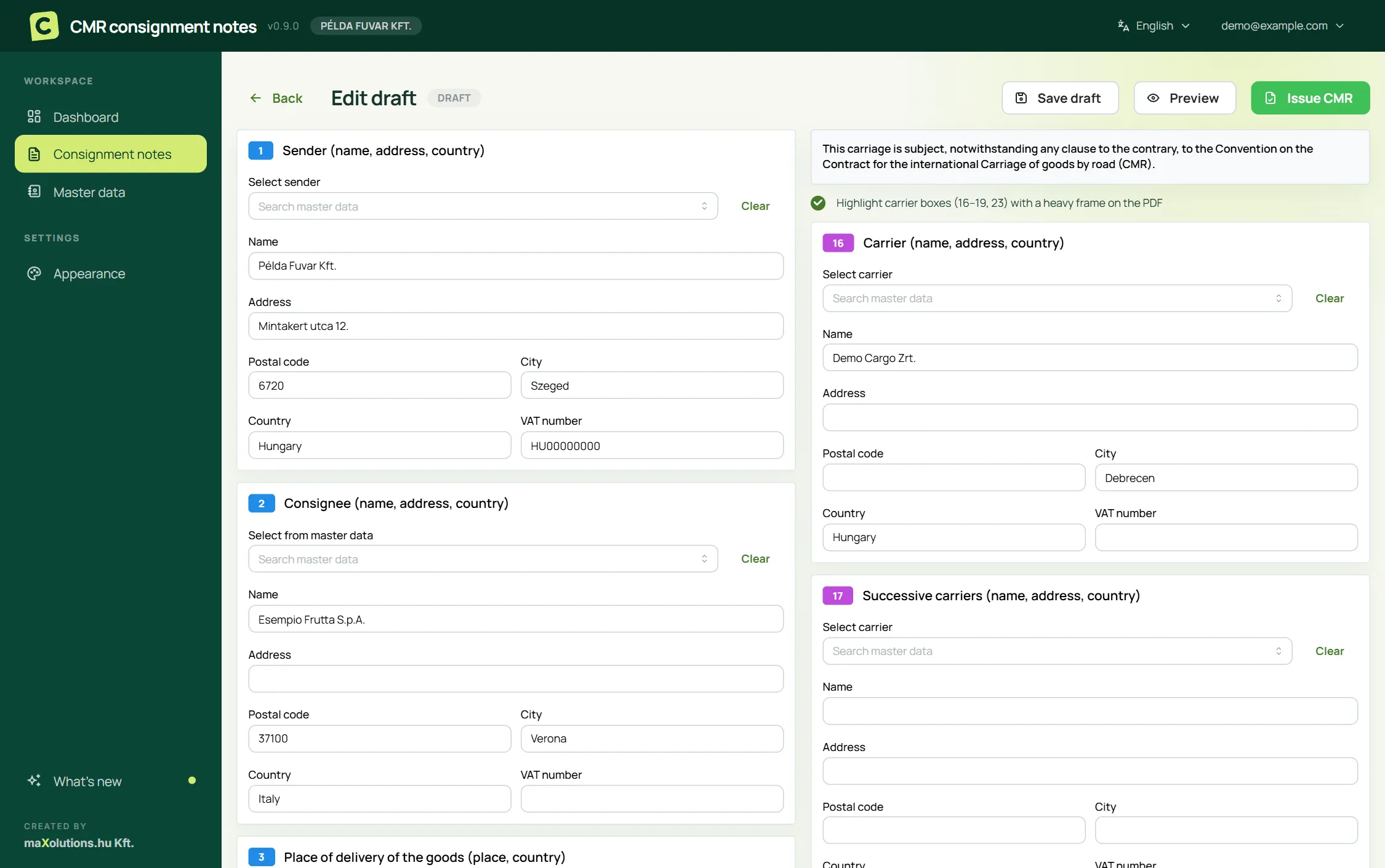
Filling in a new CMR consignment note: the numbered boxes as a form, with sender, consignee and carrier fields
Filling in a consignment note The boxes have the same numbers and labels as on the printed CMR, so anyone used to filling it in by hand knows where to look. Pick the sender, consignees and carriers from your saved records, and paste the goods lines from a spreadsheet or import them from an .xlsx file.
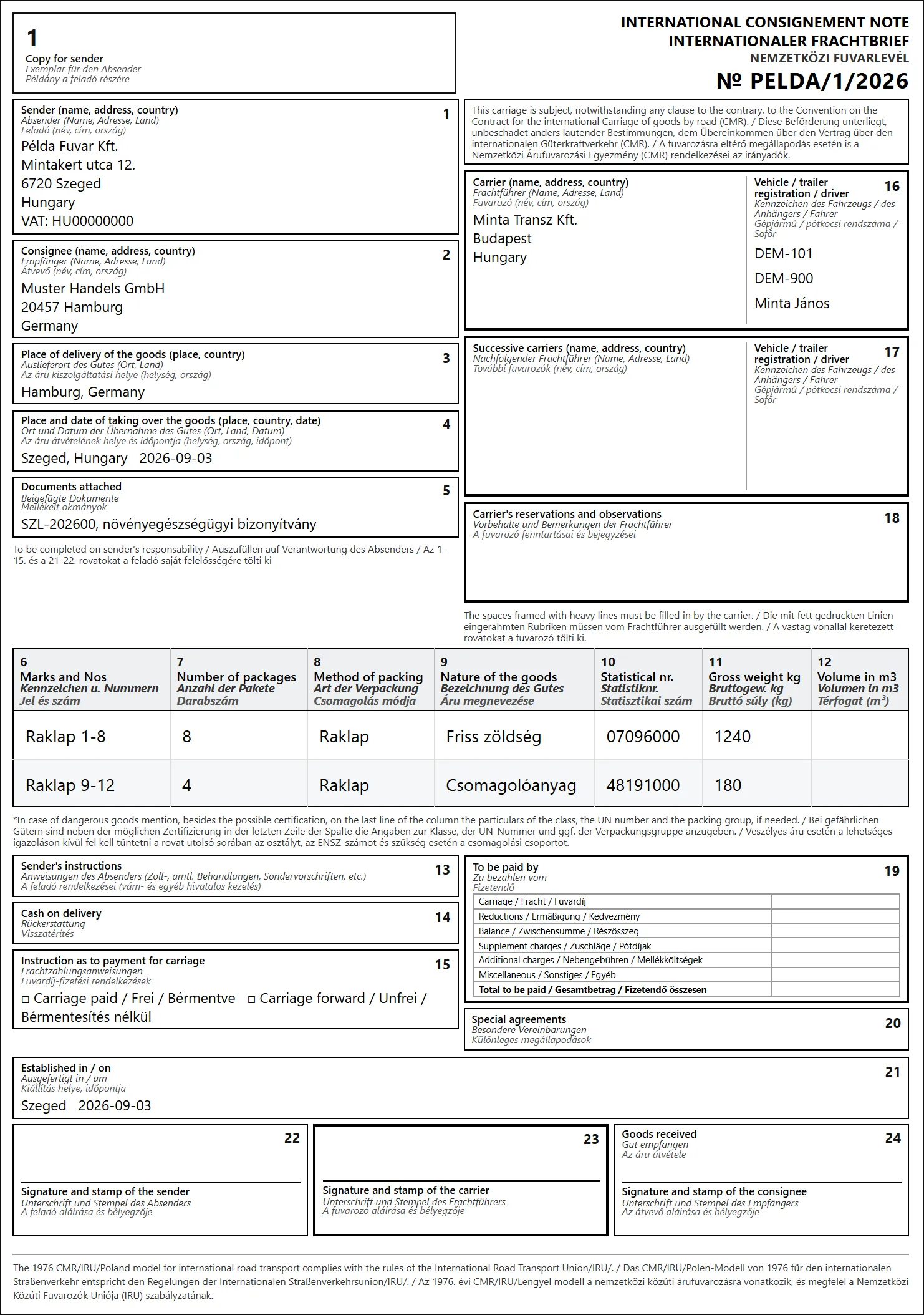
Sample CMR consignment note: the print-ready PDF with all 24 boxes, labelled in English, German and Hungarian
What you get: a consignment note ready to print Your data becomes an A4 PDF in four copies: one each for the sender, the consignee and the carrier, plus a fourth you can label as you like. The boxes are labelled in English, German and Hungarian, as an international consignment note should be. Open a sample consignment note (PDF) →
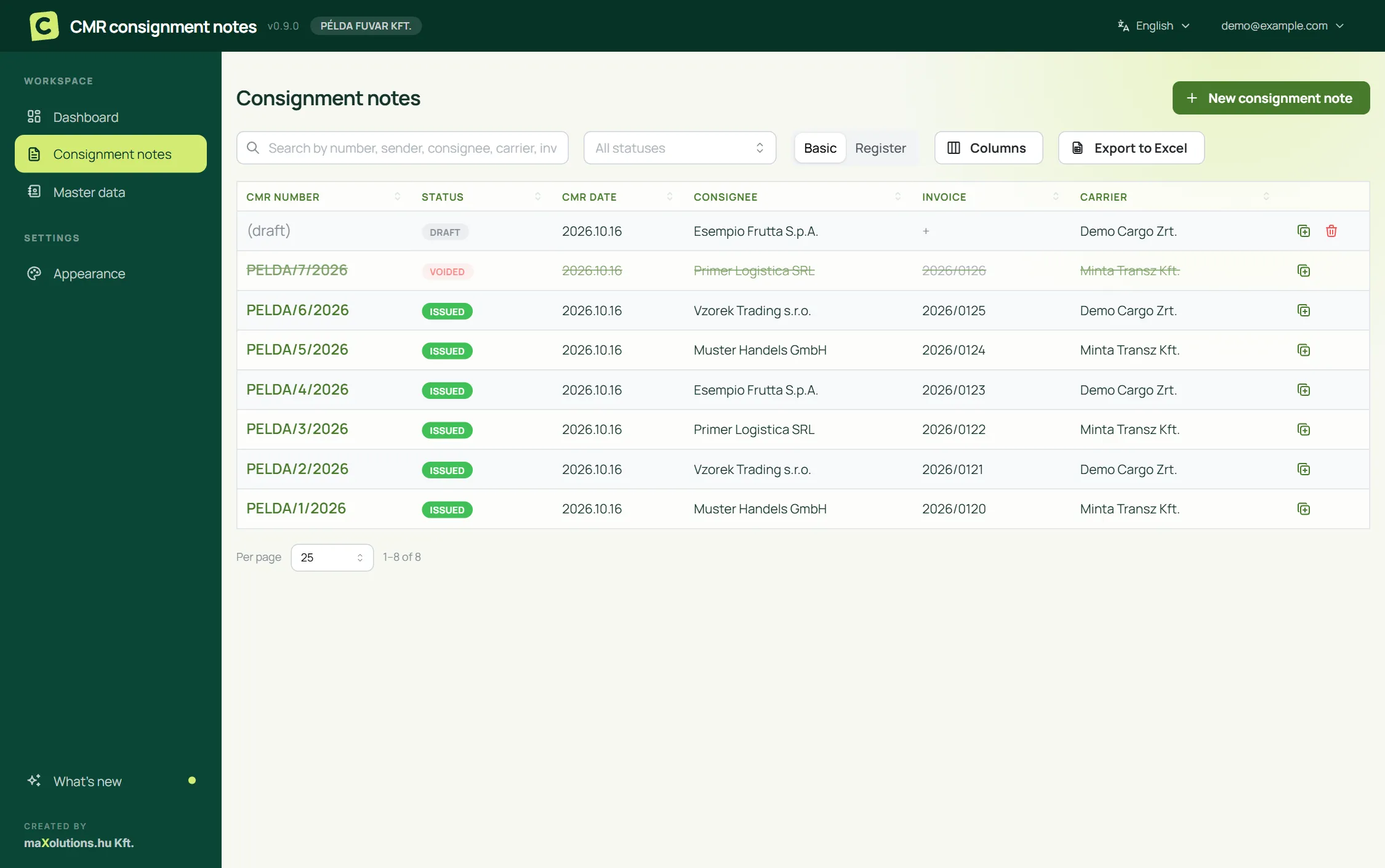
List of consignment notes in the CMR app, with number, status, date, consignee, invoice and carrier columns
Every consignment note in one list Search by number, status or date. The search also covers notes and invoice numbers, so you can still find a shipment months later.
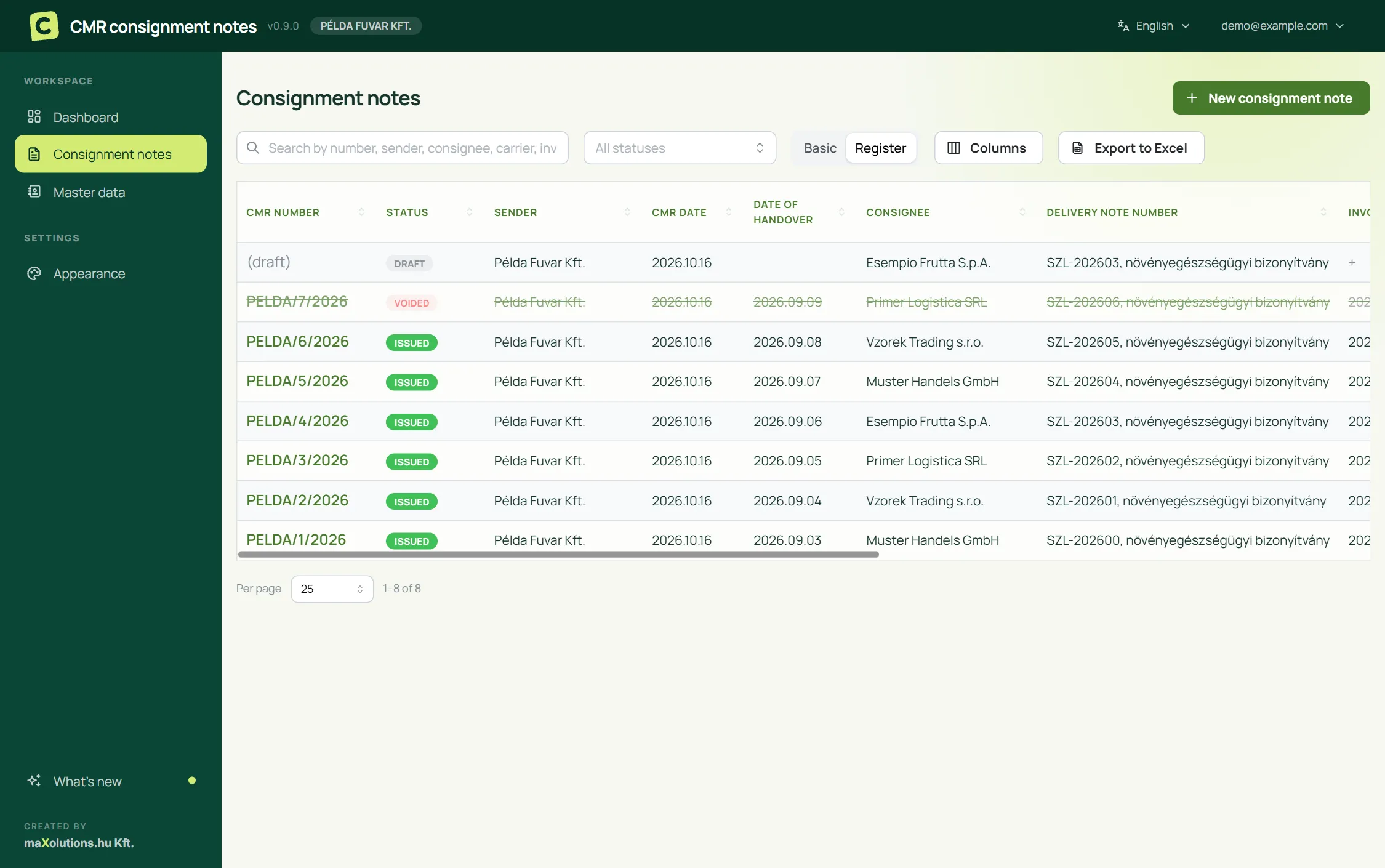
The consignment note list in register view: sender, CMR number, dates, consignee, delivery note, invoice and carrier columns
Register view, with Excel export All the columns of the register required for VAT-exempt exports on one screen. The invoice and delivery dates can be added later, even once a note is closed, and one click exports it all to .xlsx. Spoiled notes stay in the list, struck through, because the numbering has to account for them.
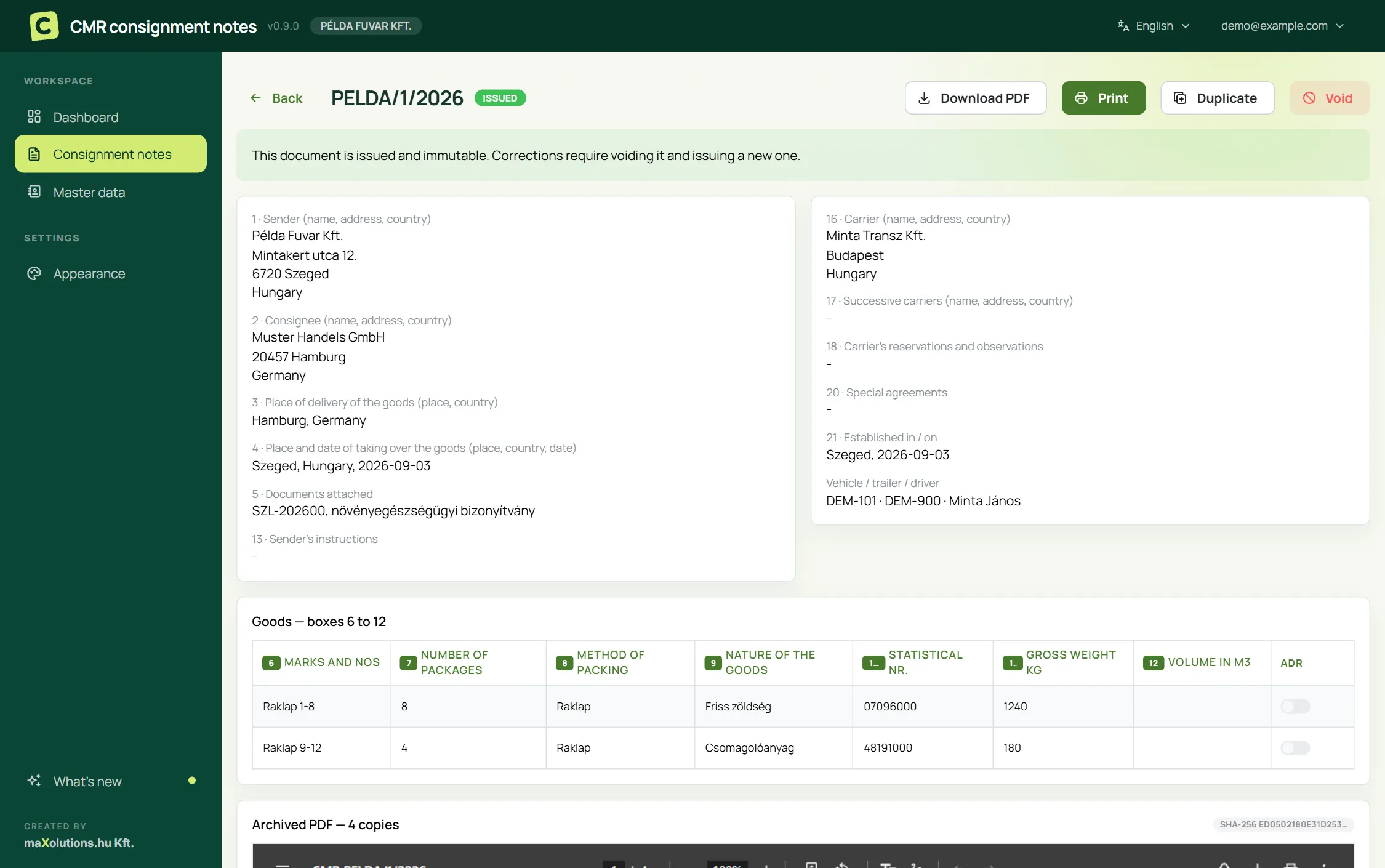
The details page of an issued CMR consignment note, with the numbered boxes and the archived PDF
The issued note and its archived PDF Once issued, a consignment note can't be edited, and its PDF is kept exactly as it was. To correct one, you void it and issue a new one, just as you would with any numbered, accountable form.
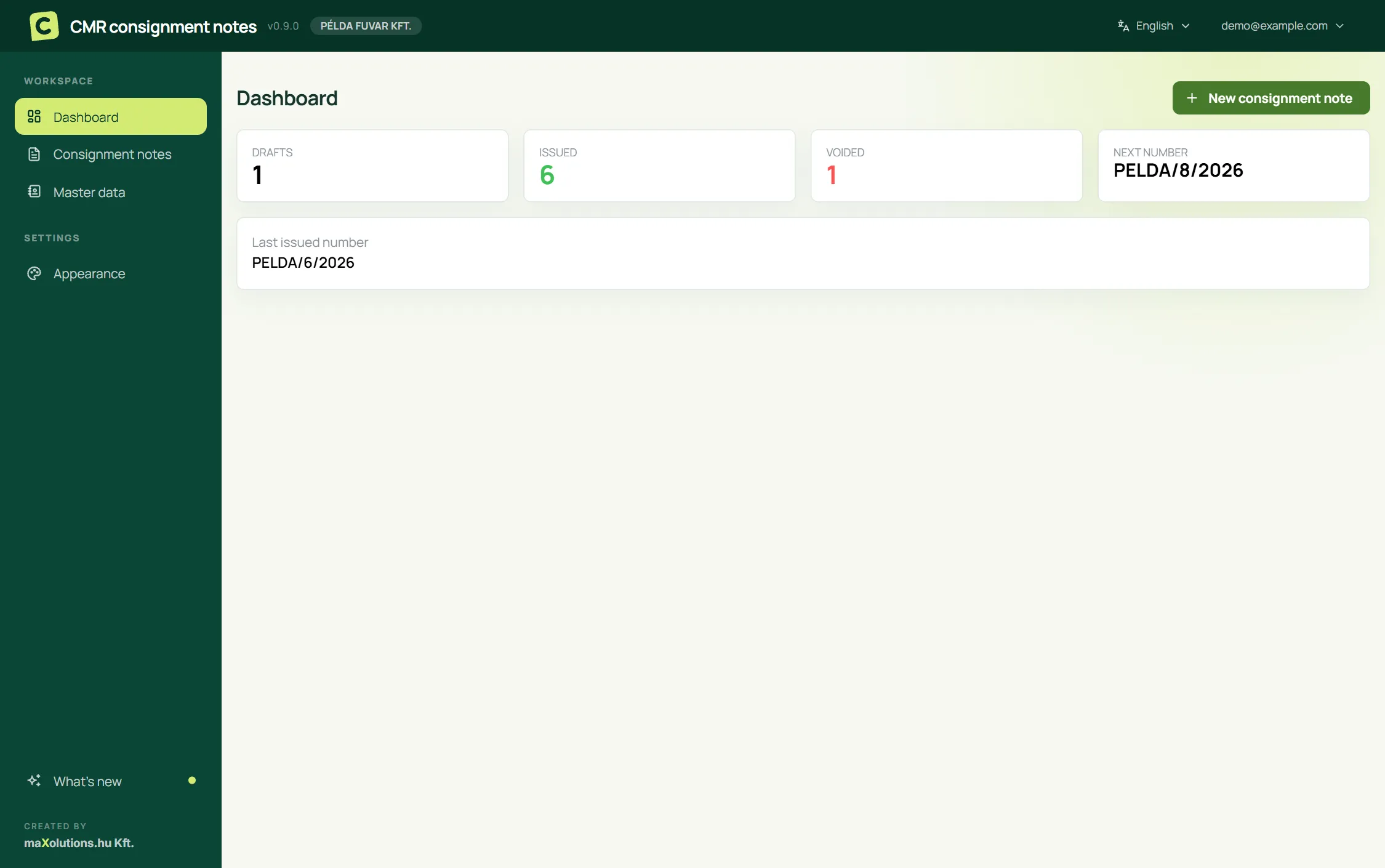
Overview screen: the number of draft, issued and voided consignment notes, and the next number in sequence
Where the numbering stands How many notes are in progress, how many have been issued and how many were spoiled, and what the next number will be. If a gap ever appears in the sequence, you'll see it here too.
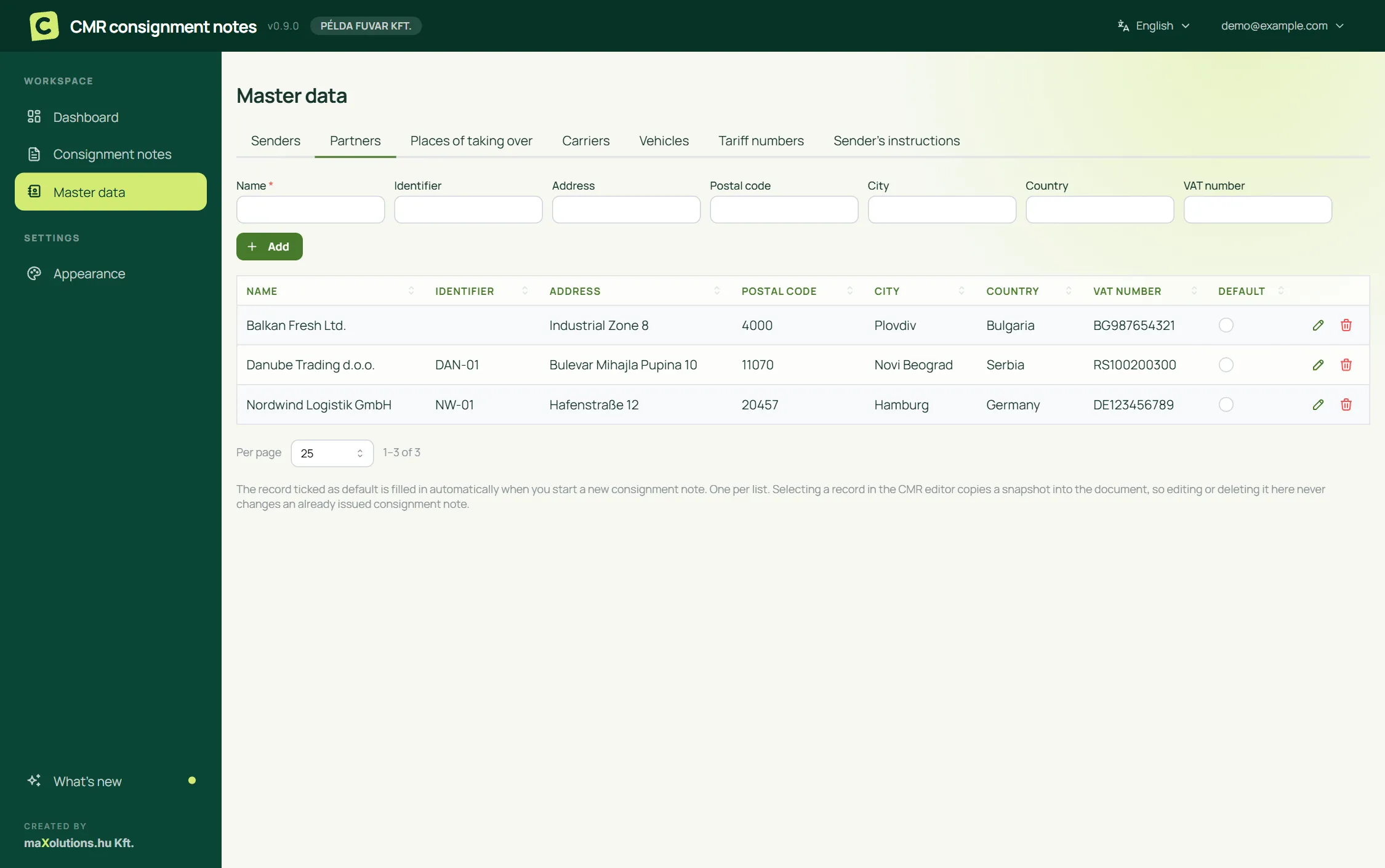
Master data screen: partners, carriers, vehicles and customs tariff codes
Saved records, so you never type anything twice Enter your sender details, partners, carriers, vehicles and customs tariff codes once, then pick them from a list. A consignment note keeps its own copy of the details at the moment you select them, so changing a partner's address later never alters a note you issued months ago.
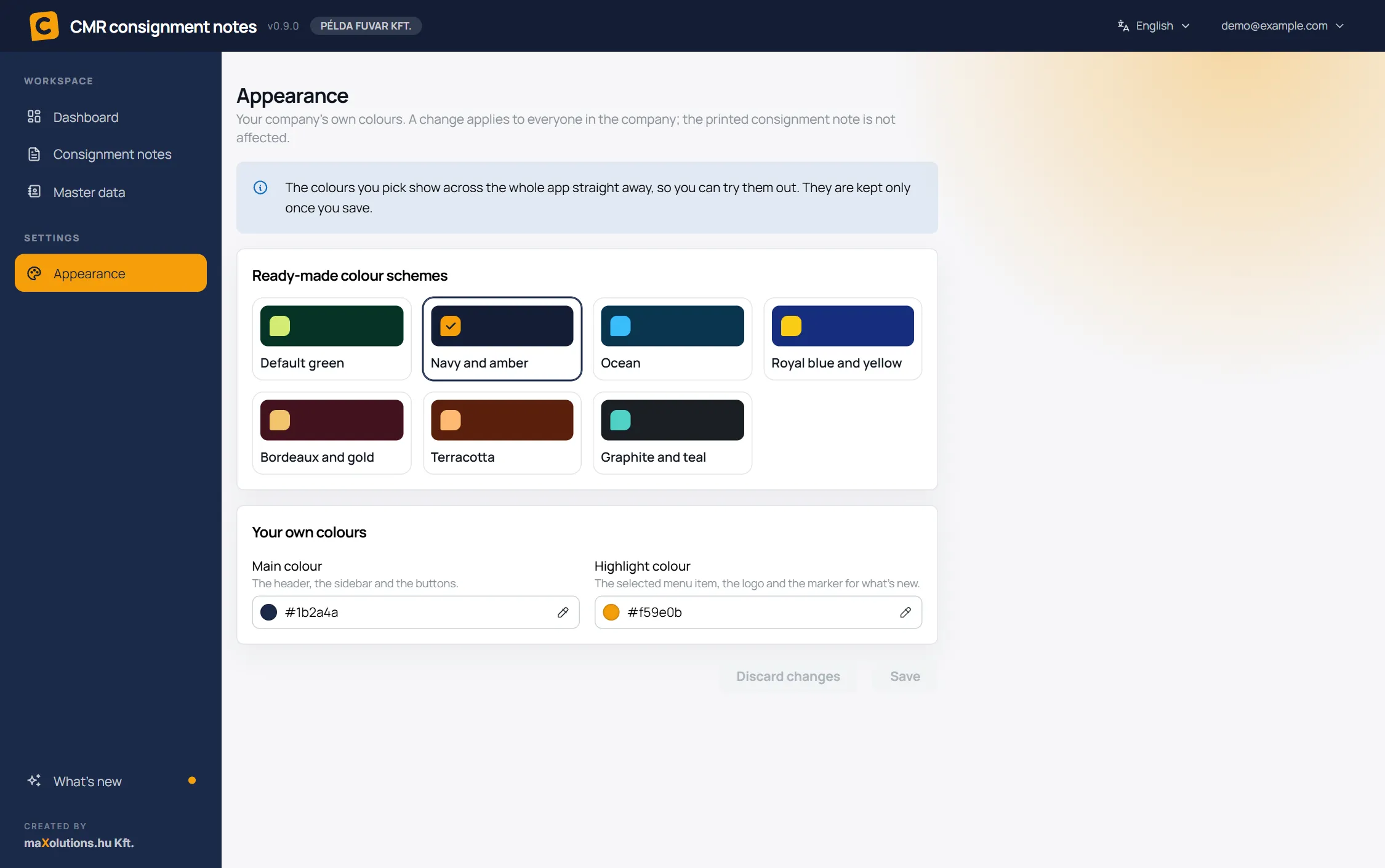
Appearance screen: ready-made colour schemes and the company's own main and highlight colours, set to navy and amber
In your company's own colours Pick a ready-made colour scheme or enter your company's own main and highlight colours. The app changes colour as soon as you choose, and the text stays readable whatever you pick. The printed consignment note is not affected.

What it does

The whole life of an international consignment note under the CMR Convention, from filling it in to keeping the register.

Electronic CMR form

Boxes 1–24 as a form that follows the printed consignment note, with English, German and Hungarian labels on the document.

Print-ready PDF, four copies

Sender, consignee, carrier and a fourth copy, each with its own label, laid out to fit A4.

Sequential numbering

Every note you issue gets a number. The numbers handed out are tracked in their own register, so any missing number shows up.

Voiding with an audit trail

A spoiled note doesn't disappear. It stays on record as voided, with the reason, the PDF is marked accordingly, and its number stays in the register.

Excel export and import

Export the register for any period to an .xlsx file, and paste goods lines from a spreadsheet or import them from .xlsx.

Multiple users, separate data

Each company's data is kept separate, and every document shows who did what, and when.

What is a CMR consignment note?

The CMR is the consignment note defined by the Convention on the Contract for the International Carriage of Goods by Road. It is written evidence of the contract of carriage between the sender, the consignee and the carrier. Its numbered boxes record who sent the goods and who receives them, where and when they were taken over, what is being carried, which documents go with it, and who pays the freight. The carrier keeps the copy that travels with the goods, while the sender's and consignee's copies are the basis for settling accounts and for any claim. In Hungary, proving a VAT-exempt export also means keeping a register of your consignment notes, and the app keeps that register for you, so there's no separate spreadsheet to maintain.

Interested?

Drop us an email and we'll give you a live demo. And if your consignment notes involve something this page doesn't cover, we'd like to hear about that too.